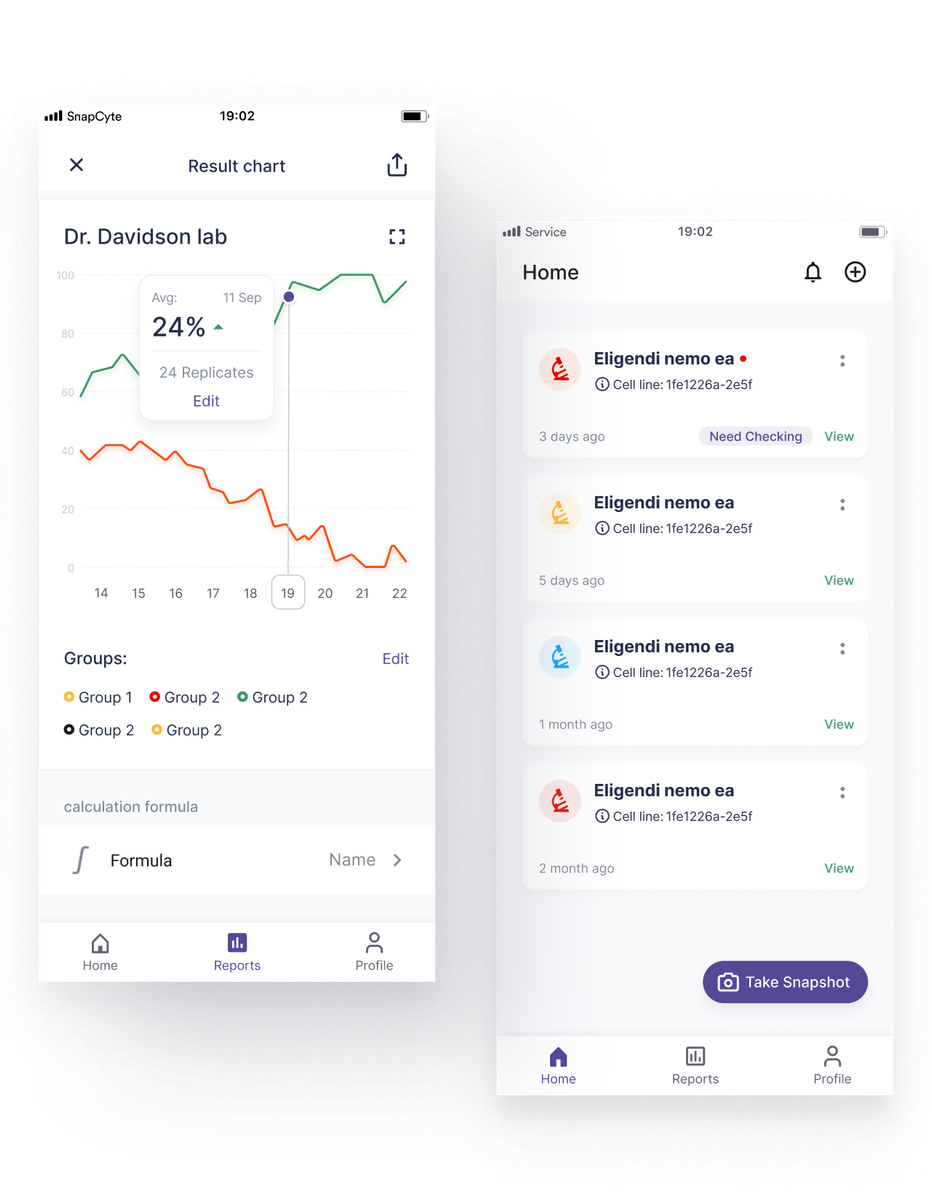
Project Overview
Product designer
User research, interaction design, visual design, prototyping, testing
Brief
SnapCyte is an app which is designed for biotech labs which helps scientists to estimate cell growth and use it instead of the very expensive machines.(scientists in the lab install a macro lens on the phone's lens to take macro photos)
Duration
8 weeks as a part-time project
Context
In most laboratories in the world, scientists are using very expensive and slow machines through their experiments to estimate cell’s growth. The lab owners of the University of British Columbia decided to handle all of their experiments with an application and replace the machine with a mobile app.
The old process
During each experiment, scientists in biotech labs categorize the cell plates into different groups. Each group has a different condition (humidity, light intensity, temperature, etc) which helps scientists to observe each cell in different conditions and recognize the cell's behavior.
Finally, they put the cell’s plate in the growth estimation machine and the machine starts to take lots of photos in a dark room and analyze the cell growth; the software which is connected to the machine shows the cell’s data in a windows application.
Problem statement
The old user flow has lots of frustrations for the users and the laboratories. As follows:
- Firstly, the machines which estimate the growth of the cell are very expensive, and it is not affordable. Furthermore, poor estimation of this machine causes lots of problems in the result of the experiments. The image processing technology of the machines is not updated on a regular basis and causes lots of fault.
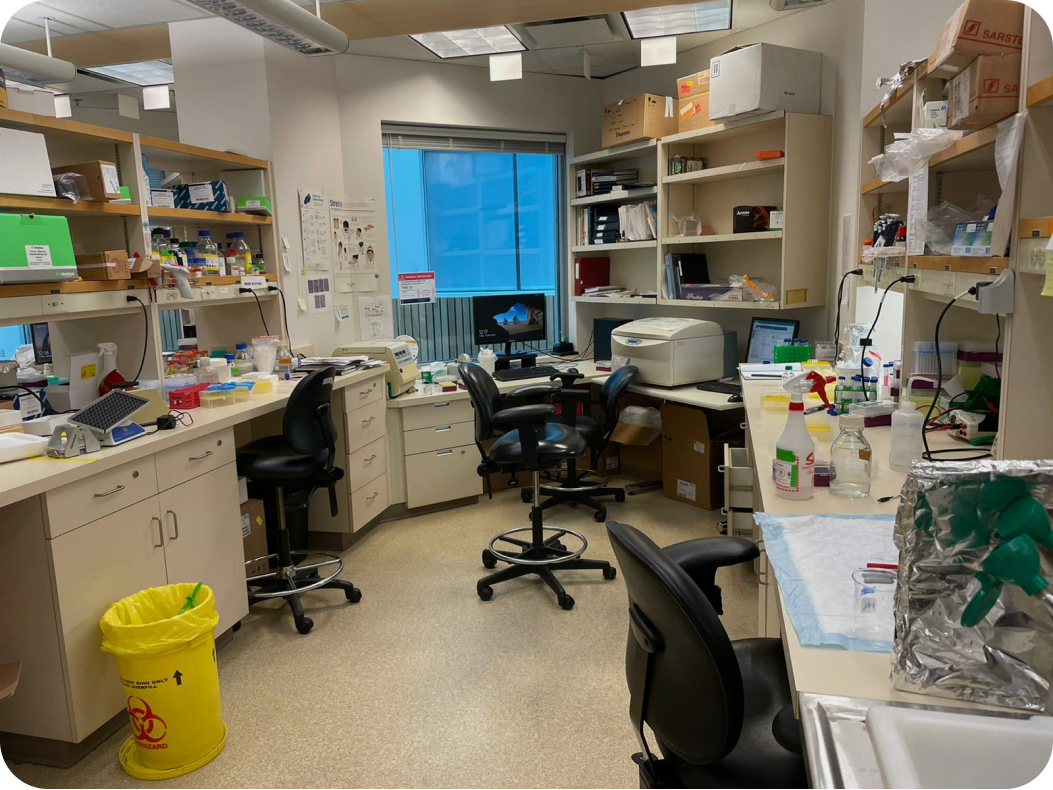
 Biotech lab - British Columbia University
 - Windows app which shows the data of the experiments are not accessible online.
- It takes a long time for scientists to take the plates to the inside of the machines. Also, other teams want to use the machine at the same time, and it creates a bottleneck.
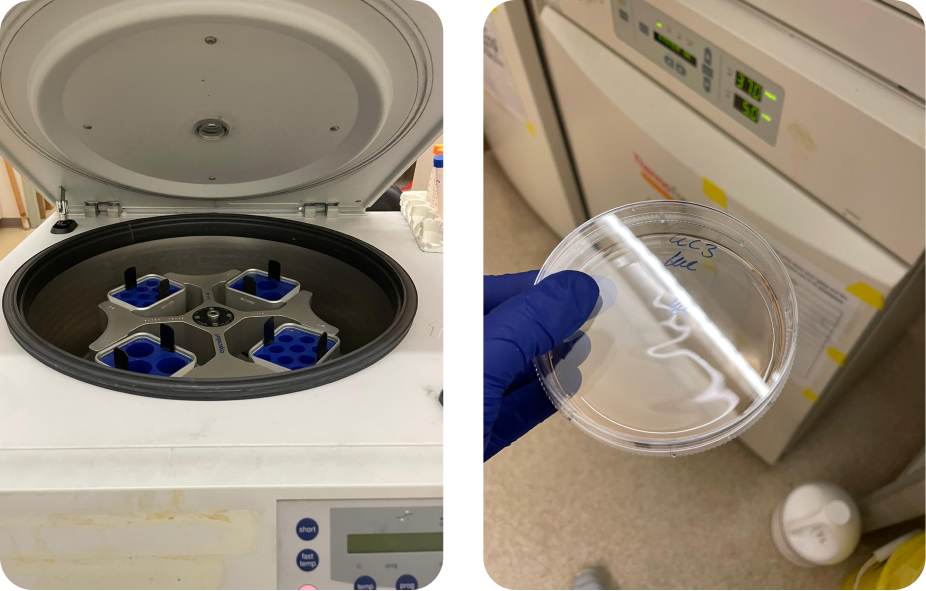
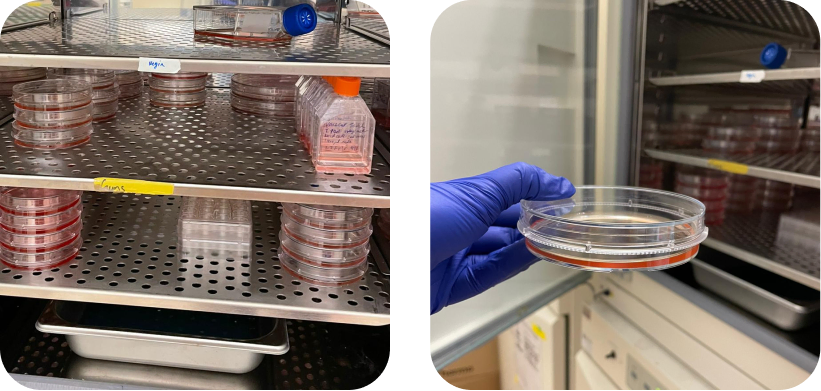 Biotech lab - British Columbia University
 - Scientists can’t measure the “confluence”(growth rate of cells) number of each plate immediately.
- The machine did not keep the whole datas about the cell growth, and scientists should keep all datas on their personal cloud space.
Solution
Due to the problems I have mentioned above, SnapCyte application will prepare services for the scientists to solve the issues I’ve mentioned. Also, It opens a new opportunity to establish a business.
Design Process
For this project, I used the double diamond process which consists of 4 stages: Discovery, Define, Develop & Deliver.
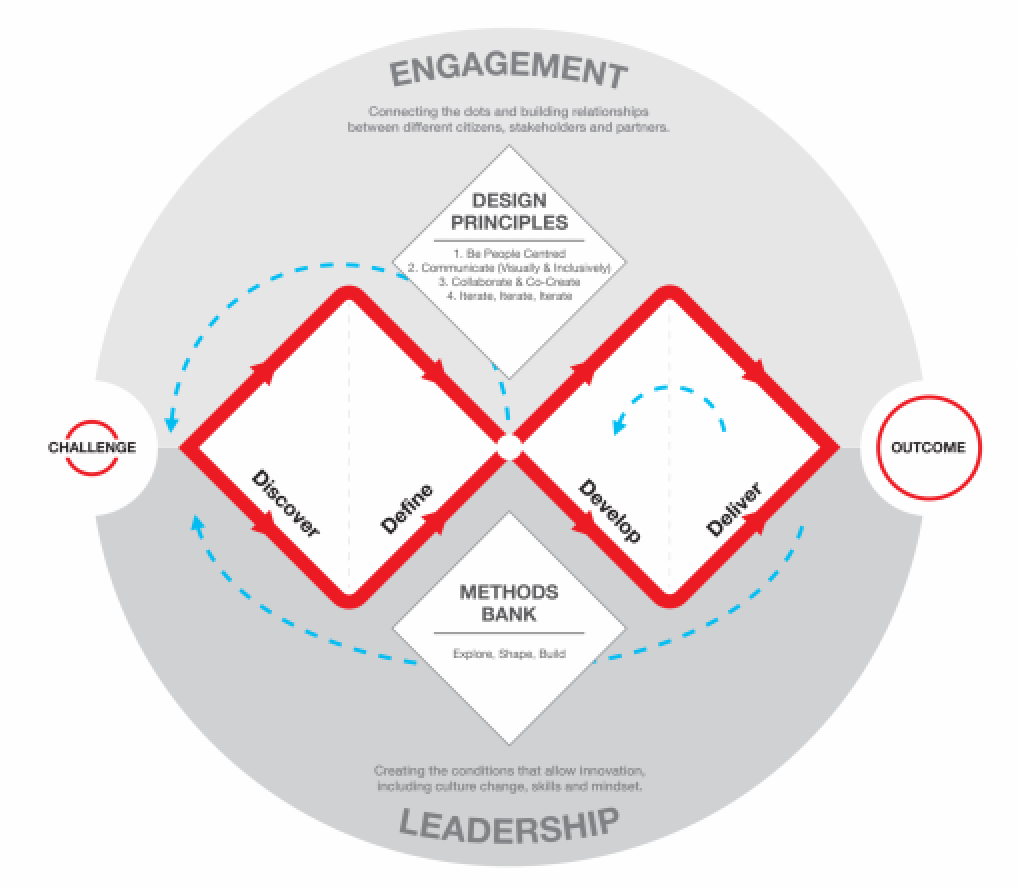
Source: https://www.designcouncil.org.uk/news-opinion/what-framework-innovation-design-councils-evolved-double-diamond
User Research
In-depth interviews:
To gain insights about the user’s lives, their choices and their mindsets, five in-depth interviews were conducted with users who are scientists and work in the biotech lab. Here are the list of questions that were asked of them during the deep interview:
- Describe your daily experience in the lab, and how you make use of different things to get the job done?
- Describe the whole process of cell growth estimation in the lab?
- How do you define an experiment, and what are the experiment's properties?
- How many times do you put the plates in the cell growth machine to take photos?
- Is it necessary to review the photos you took after an experiment has ended? If not, how do you review the related data?
- What were the most challenging things moving forward? Why?
Insights from research
- For each experiment, they define groups which have different conditions (degree, humidity, etc); each group has replicates. This mindset helps them to categorize each experiment.
- Scientists put “replicate” or plates inside the machine on a daily basis (Except on weekends).
- The cell growth estimation machine takes lots of photos which most of them are useless. They review the taken photos until they get a good result (photos with higher estimation quality or “Mask”).
- They need experiment reports for sharing with each other, or using them in final essays and result reports.
- 3 of 5 users named the same thing for photo taking sessions. They used the word “time point” which is similar in the world of biotech. In reality, they are called "time points" since they have beginning and ending points.
Persona
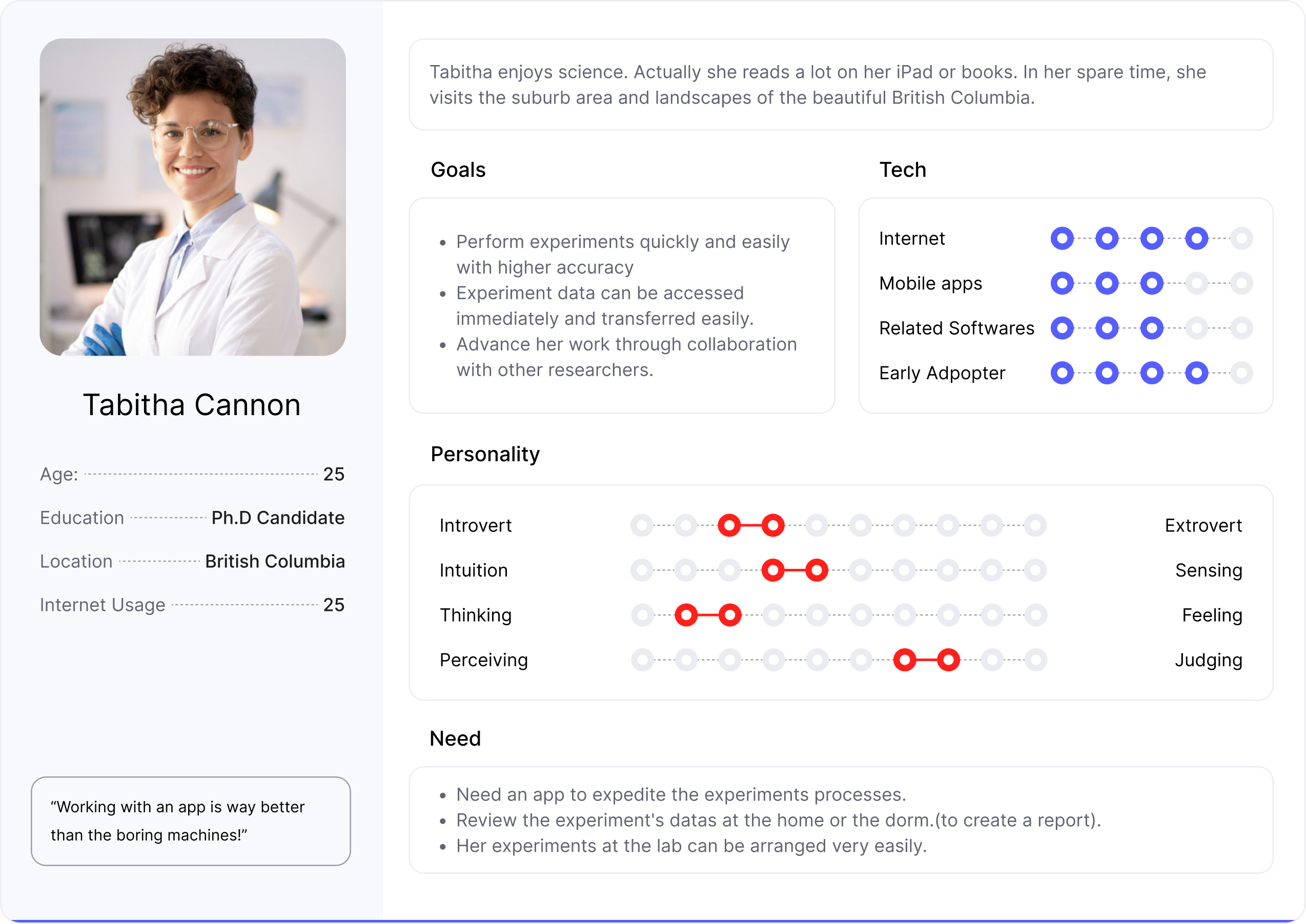
Tabitha enjoys science. Actually she reads a lot on her iPad or books. In her spare time, she visits the suburb area and landscapes of the beautiful British Columbia.
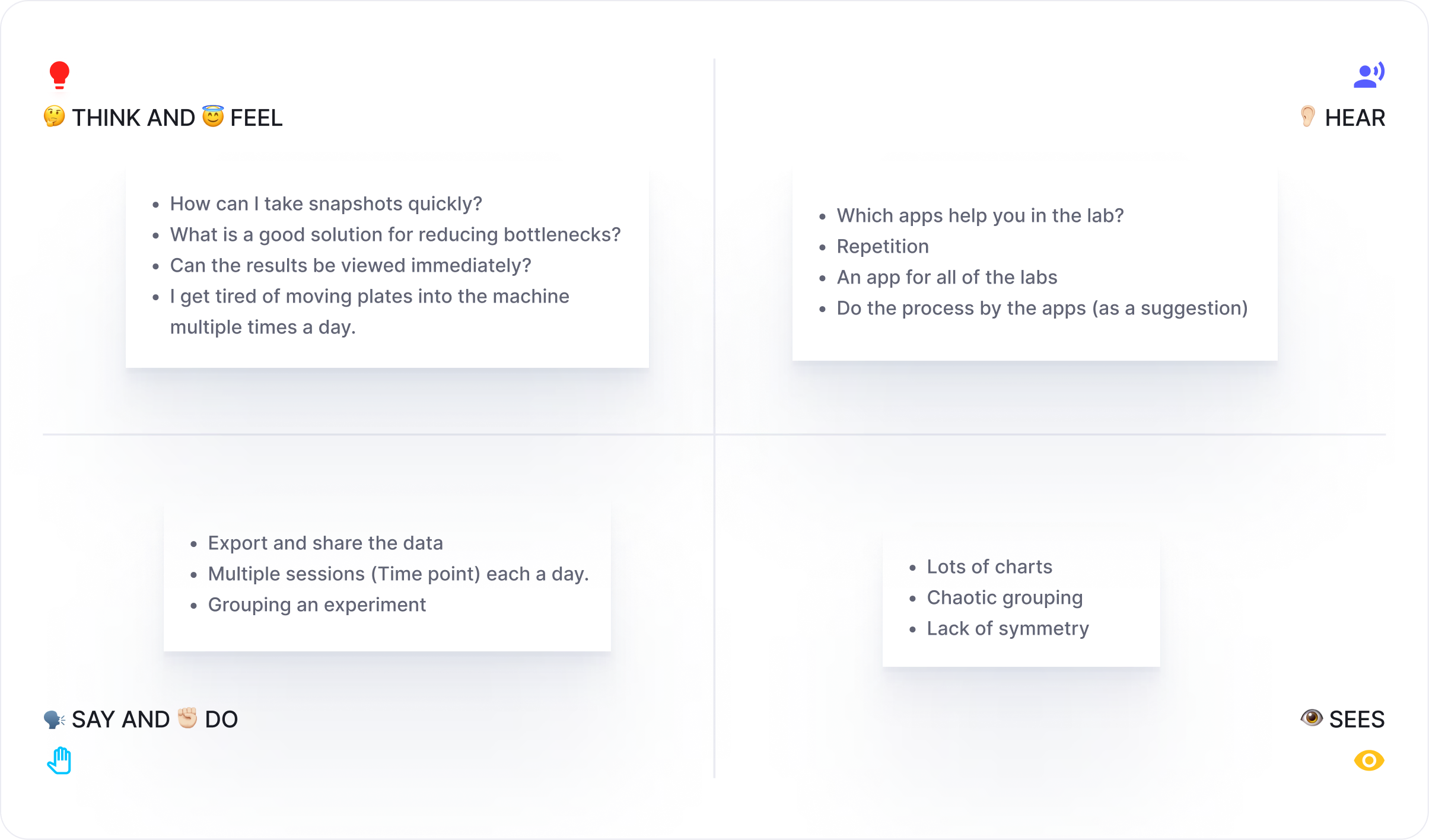
Empathy map
Tabitha’s creation led to an empathy map that allows us to capture the emotional part of her.
Pain:
- Wasting time because of checking images accuracy (checking the machine results for each photo)
- Grouping concept and data grouped in the software of the machine have no correlation
- It is frustrating to move cell’s plates into the machine to take photos.
Gain:
- Every lab, every time, you can immediately do the cell growth estimation process.
- Checking the results in a second.
- Sharing the result by the phone.
- Taking photos without moving the cell's plates.
User journey
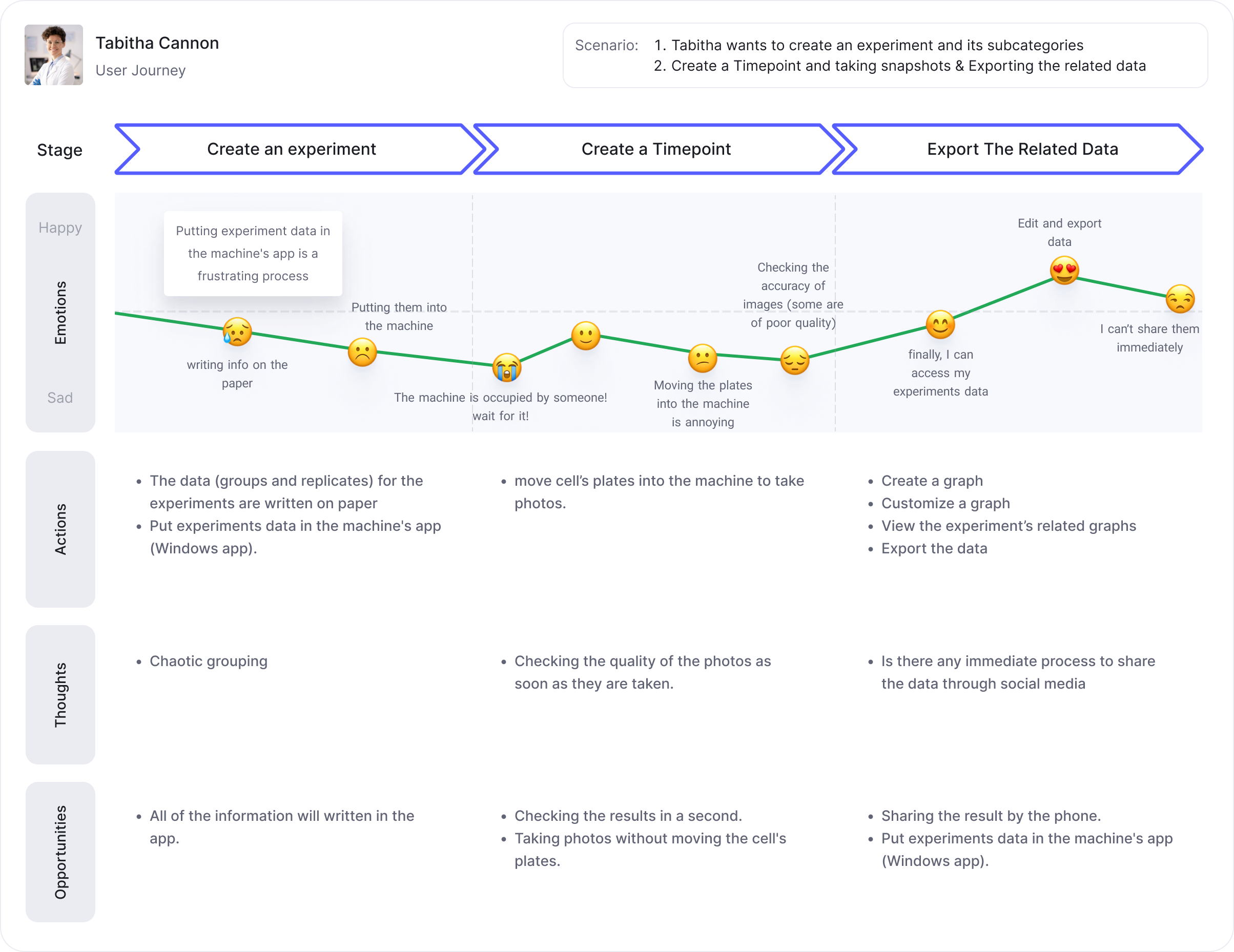
Now I wanted to dive deeper and get a better understanding of the overall journey that a user would take throughout her journey, and I've created a user journey. This helped me to put myself in the shoes of the users and empathize with what they think, feel, do, and say.
- Users can organize the experiment and create it subcategories (groups and replicates).
- Start a time point and taking snapshots.
- Gathering and showing the data on a chart.
With this User Journey Map, I validated the goals and found opportunities to develop solutions that resolved Tabitha’s needs. The User Journey Map gave me more accurate information about her emotions and perceptions and where these changes negatively or positively.
Information architecture
The key idea of this step is to focus on the ease of navigation & give the users the most important information that they want to look at first.
App’s whole flow
This is the overall user flow diagram.
Primary UX flow sketches
Based on the app’s flow, I described the needs of our users, there are four main user flows:
- Login and Sign-up
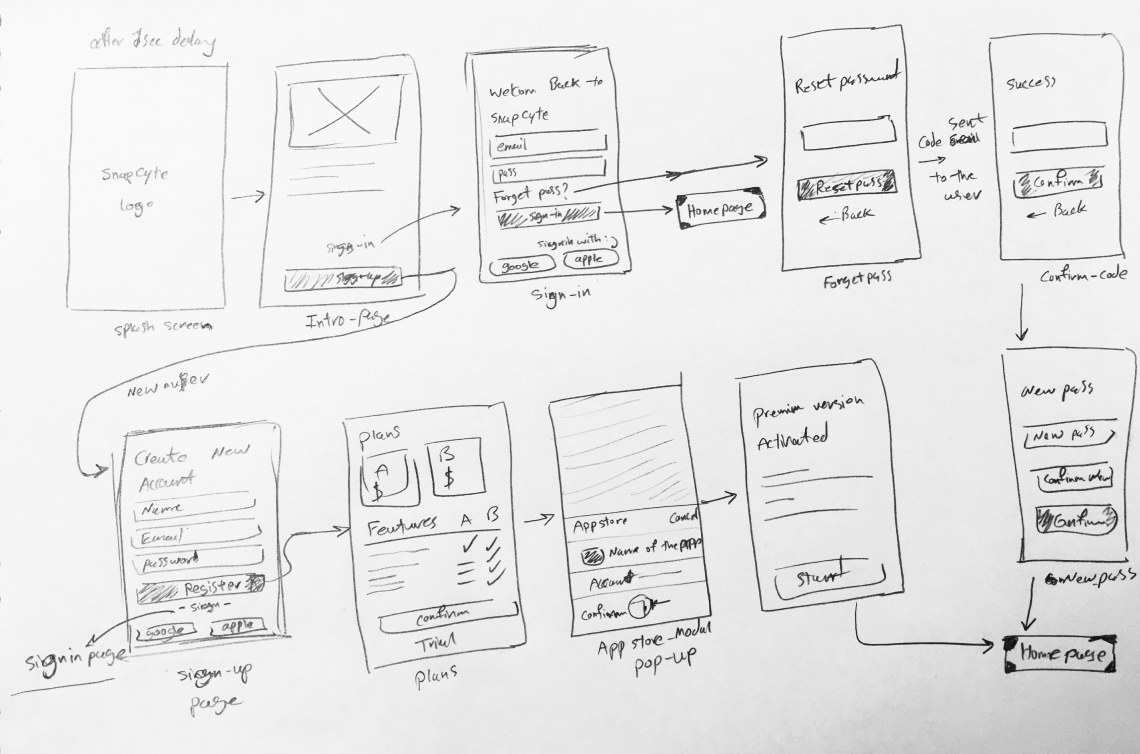 Login & sign-up flow sketch
 - Creating an experiment
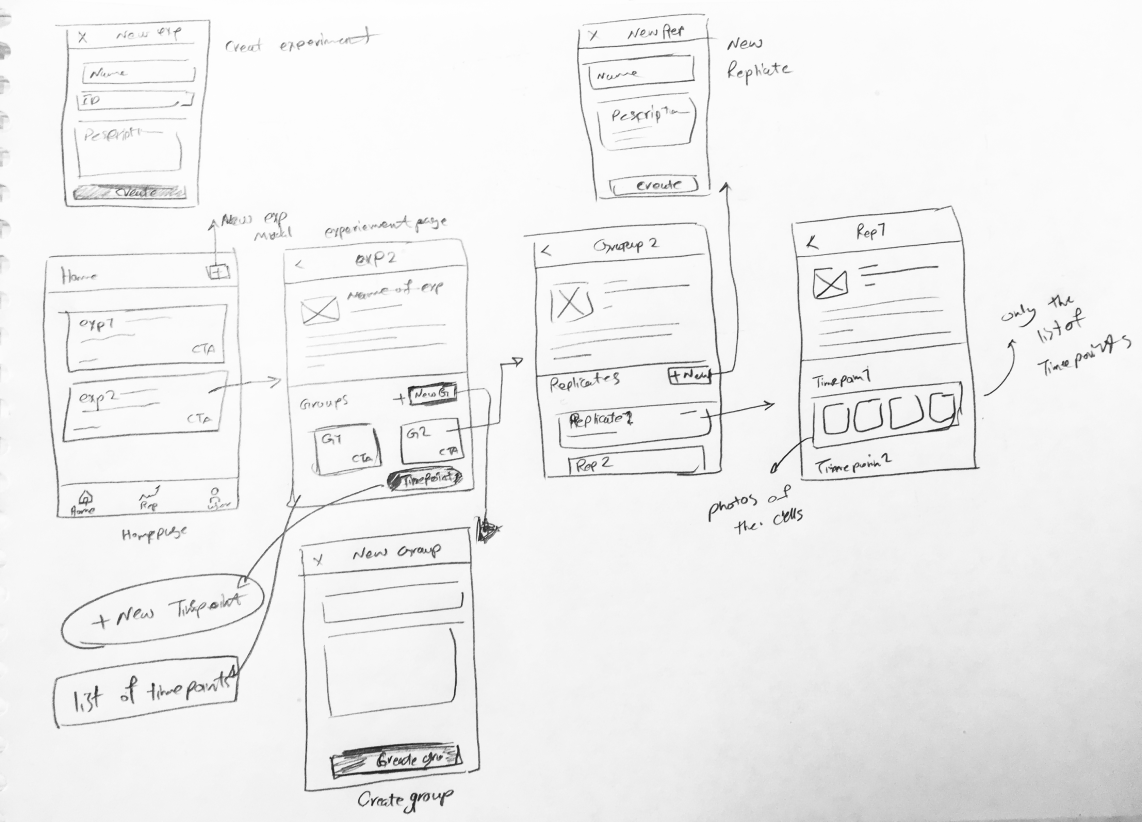 Creating an experiemnt and all of the below categories
 - Taking photos and creating time-points
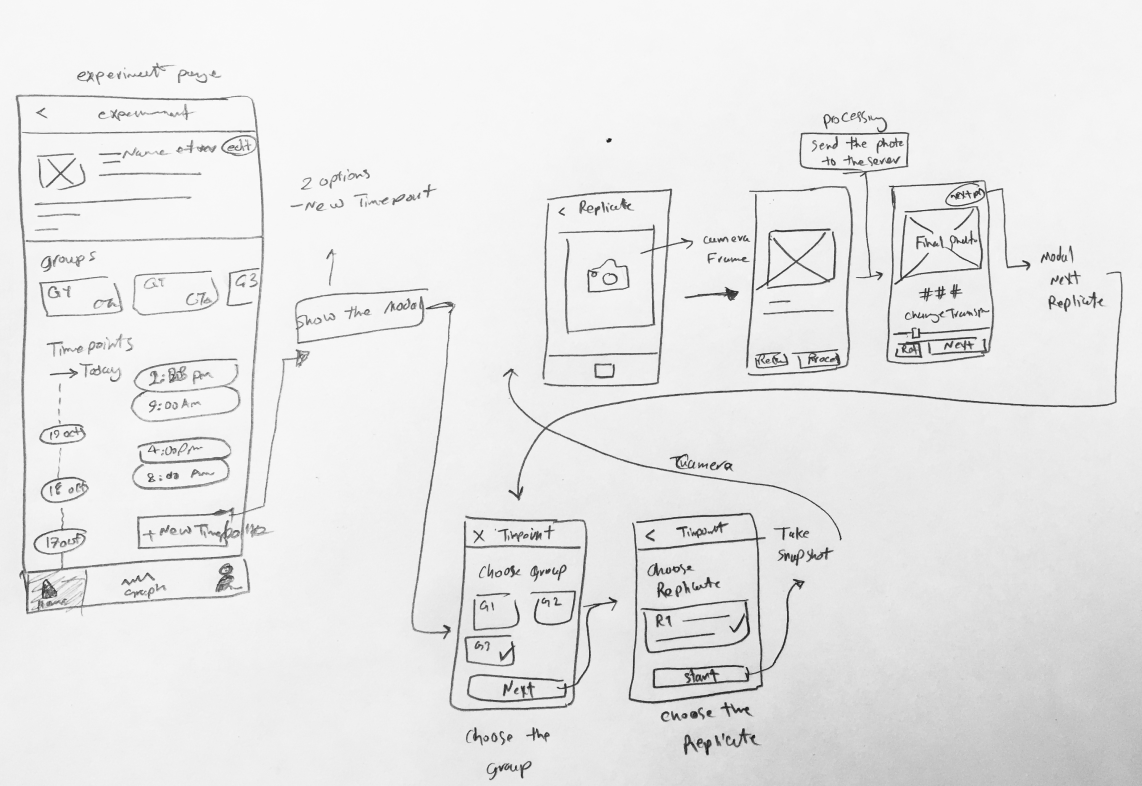 Snapshot Taking process
 - Depict the analyzed data on the graph and export them
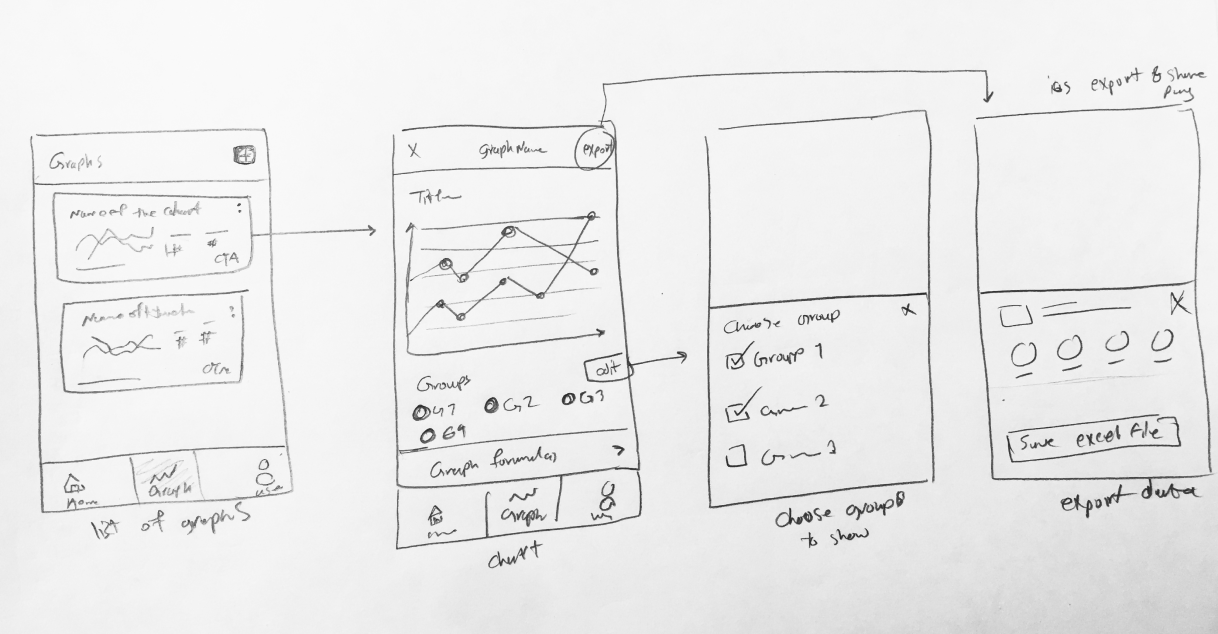 Graphs and diagrams
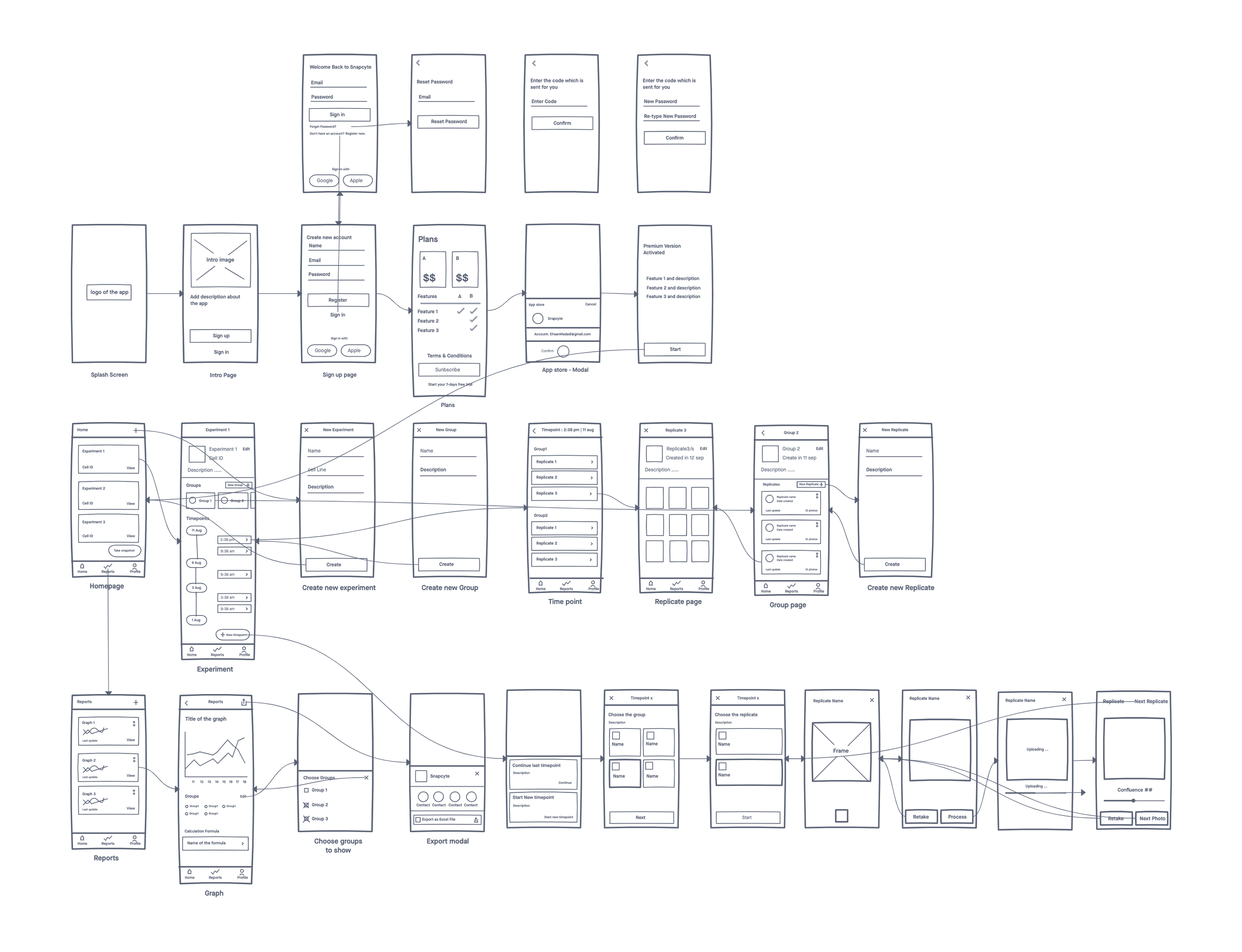
Low fidelity wireframe
I created solutions using paper prototyping, which allowed me to make iterative changes at a low cost. Here’s a part of the paper prototype.
Visual design and prototype
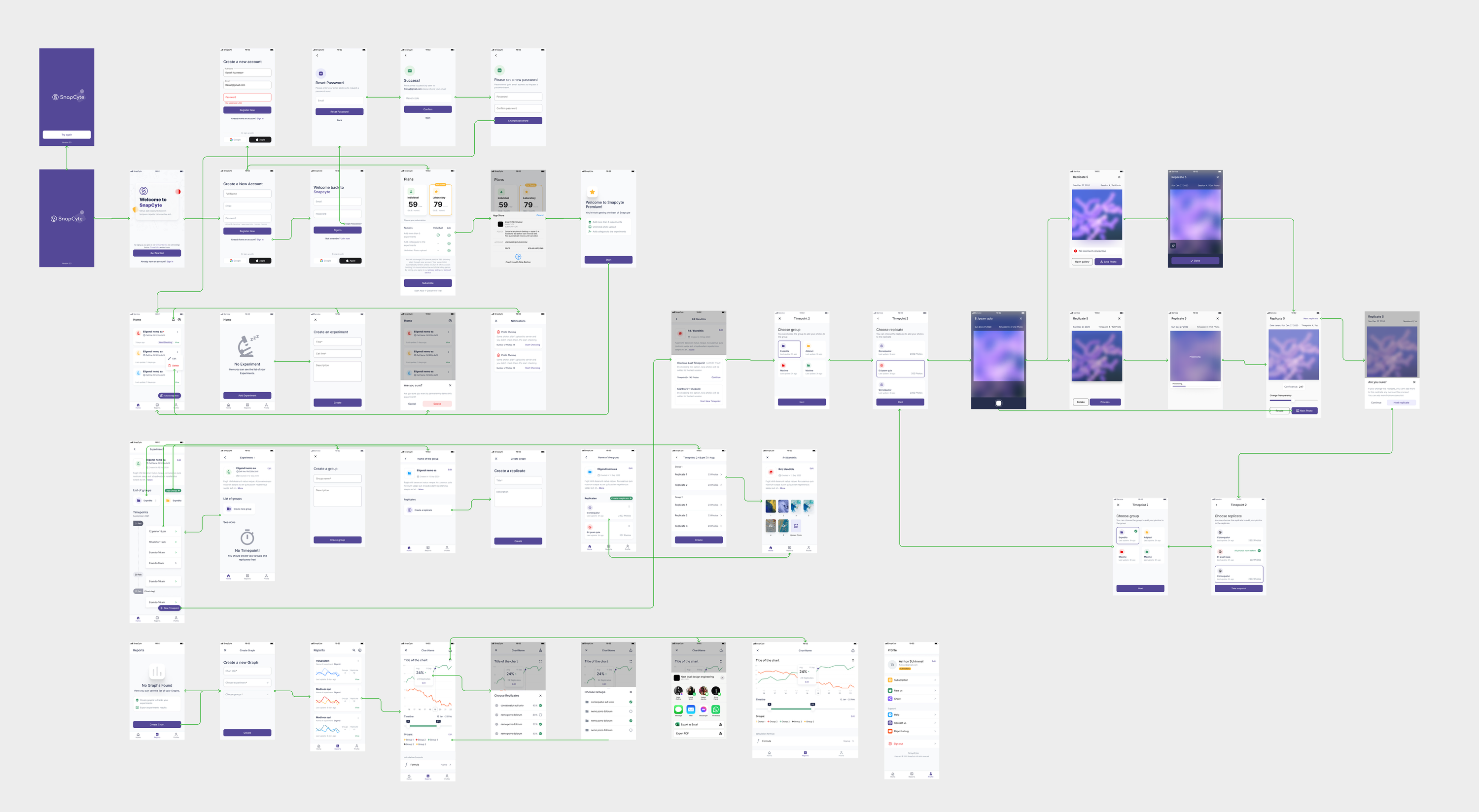
I iterated different layouts, then I designed different screens (taking into consideration the edge cases as well) for the app. I iterated and improved upon the visual designs based on the numerous feedbacks that I received.
Outcome and learning
The goal of this project was to create a user-centered app using the UX process. I went through all the stages, using design thinking and UX tools.
All this process helped us create a meaningful product for users, which resolves pains during their experience and helps them achieve their goals.
I also learned the power of testing ideas at the early stages of the process, to validate our product before developing it and saving time and reducing costs.